





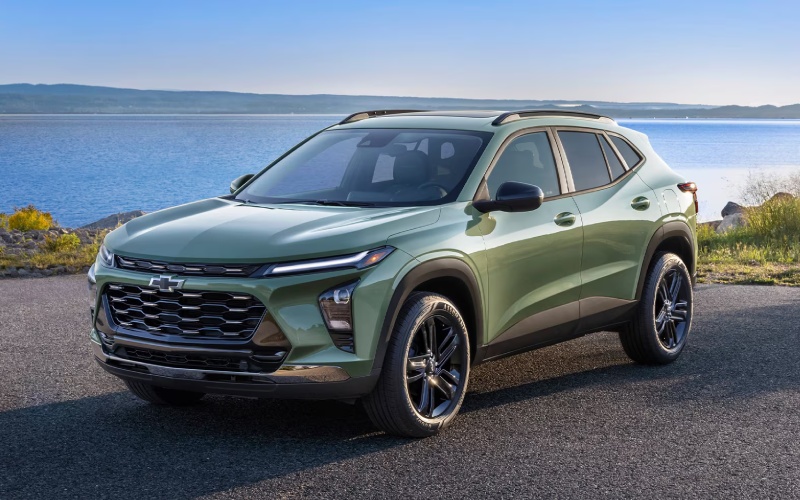
Grand Island Chevrolet – 2026 Chevrolet Trax or Mazda CX-30: Which small SUV has the better infotainment and connectivity for everyday driving around Hastings, NE?
For many shoppers, the most practical question when comparing the Trax and CX-30 is simple: which small SUV makes it easier to connect phones, manage navigation, and keep everyone’s devices powered during the weekly routine. From a pure usability standpoint, Trax takes an early lead with standard wireless Apple CarPlay® and wireless Android Auto™, so setup is as simple as stepping in and pairing. The interface is anchored by an available 11-inch center HD touch-screen, which supports fast taps and easy reading at a glance. Add available wireless charging and an available built-in Wi-Fi® hotspot, and you have an ecosystem that reduces cords, clutter, and confusion. The CX-30 counters with a cleanly designed cockpit and a 10.25-inch center display on select trims, plus available Alexa Built-in and connected features in the MyMazda App. While Mazda’s approach is elegant, it typically relies on a console-mounted controller for primary navigation of the interface, which some drivers prefer and others find less intuitive than a touch-screen. If your daily routes include school drop-offs, gym stops, and quick grocery runs, minimizing taps and swipes becomes more than a convenience—it is a daily-grind game changer.
To help you evaluate both systems clearly, use the checklist below as you plan test drives and set up your phone in each SUV.
- Screen size and controls: Trax offers an available 11-inch touch-screen for direct taps; CX-30 provides a 10.25-inch display on select trims primarily navigated by a console knob.
- Phone mirroring: Trax includes standard wireless Apple CarPlay® and Android Auto™; CX-30 offers wireless integration on specific trims, with wired on others.
- Charging strategy: Trax makes wireless charging available and offers multiple USB ports; CX-30 provides a wireless charging pad on certain trims and USB options as well.
- In-vehicle connectivity: Trax makes a built-in Wi-Fi® hotspot available; CX-30 focuses on Mazda Connected Services with features in the MyMazda App.
- Voice features: Trax supports smartphone-native assistants through CarPlay® and Android Auto™; CX-30 adds available Alexa Built-in on select trims.
Looking deeper, infotainment should also be judged by what happens when things go wrong—like when a connection drops or a device is low on battery. The Trax’s combination of wireless phone mirroring with available wireless charging reduces the chance of an accidental unplug stopping music or maps. By keeping the core touch targets large and central, the Trax also makes it easier to re-engage quickly and safely after a notification. Mazda’s interface rewards those who like tactile control with the Commander knob, and its available Bose® 12-speaker system is an audiophile’s treat on certain trims. If you are torn, ask yourself whether you want a system that behaves like a familiar smartphone or one that emphasizes minimal distractions through a dial-first approach. From a local perspective, shoppers who commute to the hospital, school, or airport will appreciate how the Trax shortens the setup process on cold mornings and keeps passengers entertained on longer drives.
- Bring your device: Pair your phone to both vehicles to compare the speed and stability of wireless connections.
- Test real tasks: Launch your map app, change playlists, and send a voice text while parked in each vehicle.
- Evaluate charging: Place your phone on the wireless pad and verify whether the charging indicator appears reliably.
- Assess readability: Glance at navigation prompts and album art on each screen to judge clarity and font size.
- Try multiple users: If possible, pair a second phone to see how each system prioritizes devices.
Frequently Asked Questions:
Does the Trax support wireless Apple CarPlay® and Android Auto™ on every trim?
Yes, the Trax includes standard wireless Apple CarPlay® and wireless Android Auto™ across the lineup, so your phone connects without a cable after initial pairing.
Can the CX-30 mirror my phone wirelessly?
Yes, wireless Apple CarPlay® and Android Auto™ are offered on select CX-30 trims, while others use wired connections. Check the specific trim’s equipment list to confirm.
How do I keep passengers online during longer drives?
The Trax makes a built-in Wi-Fi® hotspot available, which can support multiple devices. The CX-30 emphasizes Mazda Connected Services and app-based features for remote access and status checks.
For shoppers who want quick, cable-free mirroring with a large touch interface that feels familiar from day one, the Trax’s system is easier to learn and live with. If you prefer a minimalist look and a controller-based interface, the CX-30 has appeal—especially when combined with the available Bose® audio. Either way, the right next step is hands-on time with both systems, back to back. Grand Island Chevrolet is serving Hastings, St. Paul, and Central City with on-site pairing help, screen walkthroughs, and short tech-focused test routes so you can see how each setup fits the rhythms of your day.
When you are ready, our team will help you pair your phone, customize home screens, and set map favorites to make the first morning commute feel like the hundredth. That is the kind of practical, everyday advantage that turns a good system into a great one for busy families and solo commuters alike.
Request more 2026 Chevrolet Trax information
Connect with us
