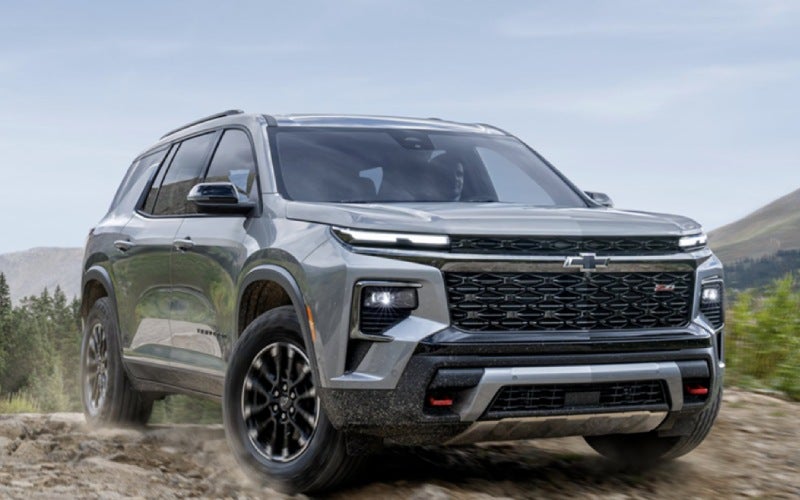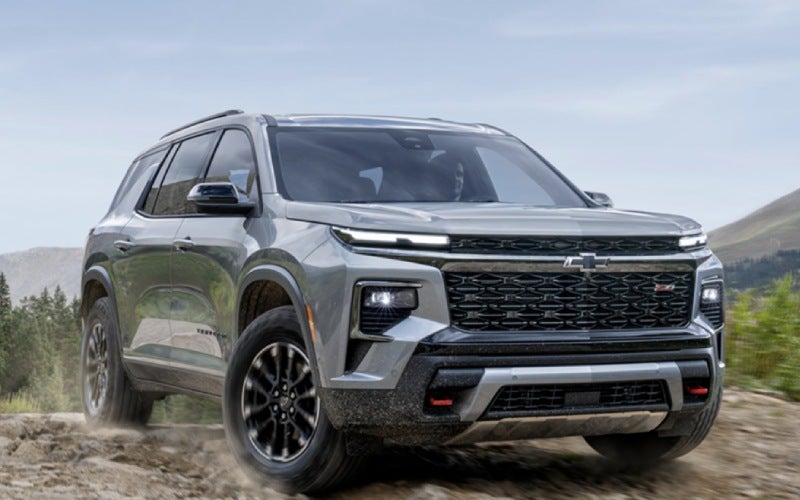





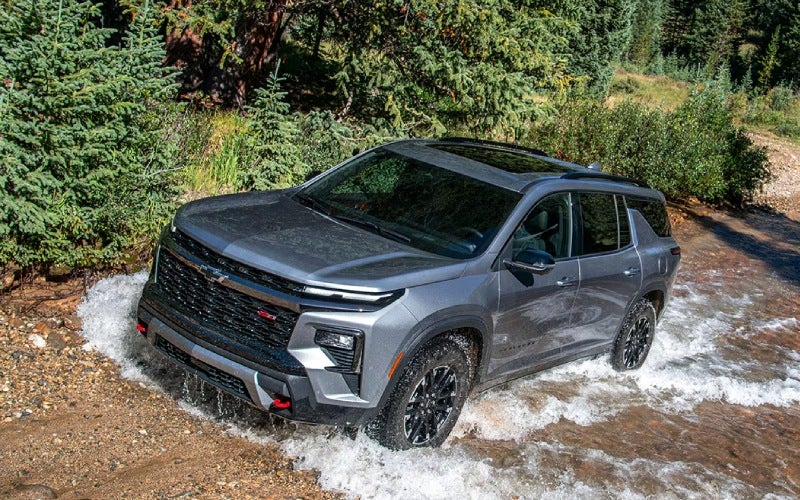
Grand Island Chevrolet - Is the 2026 Chevrolet Traverse third row comfortable for families around Aurora, NE? Families want a third row that is more than an occasional-use bench. The latest Traverse is built around that idea, pairing genuine space with simple access and clever ways to reconfigure the cabin as your day shifts from school drop-offs to longer trips out of town. Comfort starts with generous proportions, but everyday usability matters just as much. That is where Smart Slide Seats, multiple seating configurations, and power-folding functions on select trims come into play—making it easy to move people or cargo without a juggling act. Third-Row Space, Access, and Everyday Usability The third row in Traverse is shaped to welcome real passengers, not just small kids on short hops. The bench offers a roomy 60/40 split, which helps you balance people and cargo as plans evolve. Second-row Smart Slide Seats are designed to make getting into and out of the third row simple, even when you are working around boosters or child seats. If you are coordinating carpool pickups or shuttling teammates across town, the wider pathway into the back is a day-saver. On RS and High Country, One-Touch Fold second-row seats and power-folding second- and third-row seating make the cabin feel like it is thinking one step ahead. A tap, and the space quickly transforms to handle a stroller plus luggage, a big grocery haul, or bulky sports gear. Seating for Up to Eight and Best-in-Class Max Cargo Traverse offers available seating for up to eight, so you are not automatically splitting your group between vehicles. The third row becomes more than overflow—it is an integral part of the cabin’s family-first blueprint. When your plans require serious cargo space, the best-in-class max cargo volume of 98 cu. ft. lets you flatten the cabin for impressive load-carrying ability. That matters if your weekends include DIY store runs, band equipment, or outdoor gear for a day on the trail. If you are moving kids, pets, and bags regularly, the simple ability to reconfigure quickly is a bigger deal than it sounds. The power-folding functions on RS and High Country are especially helpful when your hands are full and timing is tight. Technology That Makes Every Row Better Even in the third row, tech helps the whole cabin feel cohesive and calm. Up front, the standard 17.7-inch diagonal color touch-screen gives you a massive, responsive interface for navigation, audio, and apps. The 11-inch diagonal Driver Information Center helps the driver keep tabs on directions and systems without hunting through menus. With Google built-in compatibility, you can use Google Assistant for quick voice tasks and Google Maps for precise routing—ideal when your attention is split between kids and the road ahead. Available HD Surround Vision helps you handle tight parking lots with confidence when every row is filled. Fewer multi-point turns and better awareness reduce stress when you are navigating drop-off zones or crowding into busy venues. Safety for Busy Family Schedules Chevy Safety Assist in Traverse delivers a strong foundation with over 20 standard safety and driver assistance features designed to help protect your crew. Systems like Front Pedestrian and Bicycle Braking, Blind Zone Steering Assist, Rear Cross Traffic Braking, Automatic Emergency Braking, and Safety Alert Seat support attentive driving on everything from morning commutes to evening activities. If your family travel includes frequent highway trips, available Super Cruise® can be a significant upgrade. On compatible roads, it is designed to handle steering hands-free while you remain attentive—an advantage that helps reduce fatigue when the schedule stacks up. Tips to Evaluate the Third Row on a Test Drive Before you decide, put the third row through your real-world routine. Bring the items and people that typically ride along so you can judge comfort and access with a meaningful baseline. Install child seats in the second row and verify Smart Slide Seats still work for third-row access Have adults sit in the third row to evaluate knee, hip, and headroom for longer drives Test One-Touch Fold and power-folding seating on RS or High Country to confirm the speed and convenience Load a stroller, sports bags, or instrument cases to gauge cargo depth behind the third row Check sightlines and conversation ease from row three to the driver for family communication If you often shop or travel with a full house, try these checks on the same visit. You will quickly see how smoothly Traverse adapts to a packed cabin. Capability and Ride Comfort Still Matter While third-row comfort is the focus, overall ride quality and control are just as important with a full cabin. Traverse’s turbocharged 2.5L engine and 8-speed automatic feel composed with passengers in every seat. If your routine includes gravel detours or winter-wet roads, consider Z71 for Advanced Twin-Clutch AWD, Terrain Mode, and Hill Descent Control—hardware that helps keep trips on schedule when the route gets challenging. Families who want all-weather confidence without trading away cabin comfort will find that this setup strikes a smart balance for Nebraska driving. Where to See It in Person The fastest way to judge third-row comfort is to try it. At Grand Island Chevrolet, our team can walk you through seating options, demonstrate Smart Slide Seats, and set up a drive that mirrors your day-to-day use. We are proudly serving Central City, Ord, and Aurora with a straightforward, needs-first approach—so you can focus on the details that actually matter to your family. Frequently Asked Questions: Can adults ride comfortably in the third row? Yes, Traverse’s third row is designed with usable space for teens and adults. For best results, adjust the second-row fore-aft position to balance knee room across all three rows, then take a highway loop to confirm long-ride comfort. How easy is it to reach the third row with car seats in the second row? Smart Slide Seats are designed to maintain access even with certain child seats installed. Bring your current seats to a test drive and verify the mechanism works smoothly with your exact setup. Does the cargo area hold strollers or team gear behind the third row? Yes, the cargo bay has practical depth behind the third row for essentials. For bulky items, fold a portion of the 60/40 third-row bench to gain space while keeping a seat or two available. Which trims include power-folding seating? RS and High Country include One-Touch Fold second-row seats and power-folding second- and third-row seating. If you switch between people and cargo frequently, these trims add speed and convenience to your routine. Request more 2026 Chevrolet Traverse information

Which 2026 Chevrolet Trax trim fits daily driving around Aurora, NE best?
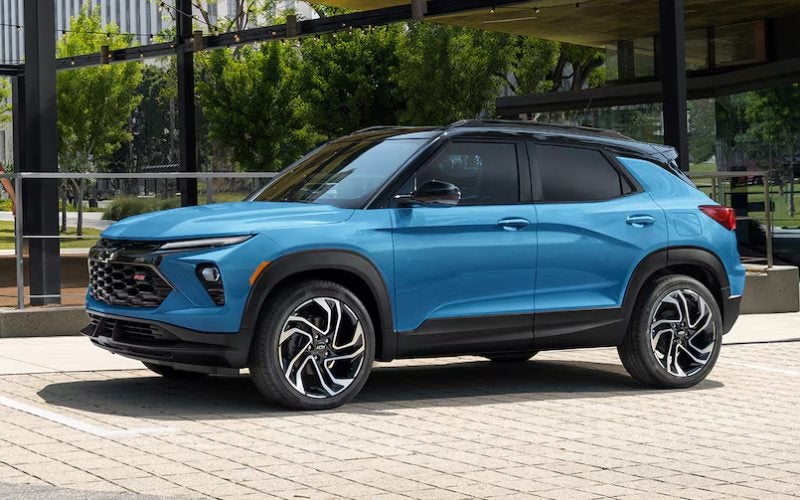
Grand Island Chevrolet - Which 2026 Chevrolet Trax trim fits daily driving around Aurora, NE best? Choosing the right 2026 Chevrolet Trax trim is easier when you match the SUV’s strengths to your daily routes around Aurora, NE. The Trax lineup keeps essentials standard—like Chevy Safety Assist and wireless Apple CarPlay® and wireless Android Auto™—then adds personality and tech as you move through LS, 1RS, LT, 2RS, and ACTIV. The key is deciding how you want your Trax to look, feel, and connect with your life. Because core features are well covered, you can prioritize the design and interface that make driving feel natural. If you move between town streets, school pickups, and Highway 34, a trim with the available 11-inch center HD touch-screen and an 8-inch diagonal color Driver Information Center can be a daily difference-maker. Below, we break down the character of each trim and highlight how to choose confidently. Understanding the Trax Trims All Trax models are built around the same fundamentals: a capable ECOTEC® 1.2L Turbo powertrain tuned for real-world drivability, standard Chevy Safety Assist, and wireless smartphone integration. From there, you pick the style and extra tech that suit your priorities. LS highlights: Everything essential stays standard—Chevy Safety Assist, wireless device integration, LED headlights, and thoughtful interior comfort. 1RS character: Sportier stance with RS badging, a unique grille, and Black bowtie emblems; inside, Red accents add a performance-inspired touch. LT sweet spot: Adds an 11-inch diagonal color touch-screen and an 8-inch diagonal color Driver Information Center, plus comfort conveniences you’ll appreciate daily. 2RS style: Ups the drama with available 19-inch machined two-tone wheels and bold Black exterior details alongside Red interior accents. ACTIV presence: Titanium chrome exterior accents, blackout wheels, and striking Yellow interior touches deliver a confident, stand-out look. If your top priority is a clean, modern interface, LT is compelling thanks to its 11-inch diagonal color touch-screen and instrument cluster upgrade. Drivers who love a sport-inspired aesthetic tend to gravitate toward 1RS or 2RS, while ACTIV is ideal if you prefer a bold, outdoorsy vibe with unique exterior flourishes. Match a Trim to Your Daily Drive Think about your typical routes, how many passengers you carry, and what you bring along most days. The Trax’s 60/40 split-folding rear seat and up to 54 cu. ft. of max cargo space make it easy to adapt, but trim choices can further enhance your experience. For tech-forward commutes: Choose LT for the larger 11-inch center HD touch-screen and 8-inch Driver Information Center to keep navigation, audio, and drive data front and center. For a sportier look and feel: 1RS adds the right visual punch, while 2RS elevates it further with available 19-inch machined two-tone wheels and more aggressive exterior details. For bold curb appeal: ACTIV stands out with Titanium chrome exterior accents, blackout wheels, and a confident stance that looks great from every angle. For budget-friendly simplicity: LS keeps essentials standard, including Chevy Safety Assist and wireless smartphone integration, so the daily basics are always covered. For family flexibility: Any trim benefits from the Trax’s smart packaging; choose based on the interface and design touches that make your drives more enjoyable. Because safety and connectivity are consistent, you can confidently pick the personality you like without giving up the features you need. If you frequently drive after dusk, remember that IntelliBeam® High Beam Assist is part of Chevy Safety Assist—standard across the lineup. Safety and Connectivity You Don’t Have to Hunt For Every 2026 Trax includes Chevy Safety Assist with Forward Collision Alert, Automatic Emergency Braking, Front Pedestrian Braking, Lane Keep Assist with Lane Departure Warning, Following Distance Indicator, and IntelliBeam® High Beam Assist. Those features aren’t reserved for top trims, which means you can shop by design and interface first. Standard wireless Apple CarPlay® and wireless Android Auto™ also streamline your daily routine, while available wireless charging and a built-in Wi-Fi® hotspot can upgrade the cabin for long drives with family or friends. That combination—confidence plus connection—makes the Trax feel consistent across Aurora’s neighborhood streets and out on open roads. Whether you’re catching a youth game or heading across the county for an errand, the Trax helps you stay focused and in touch without fuss. How to Test Drive for the Right Trim Bring your actual routine into the dealership. Pair your phone to try your navigation and playlist. Test the larger 11-inch center HD touch-screen if you’re leaning toward LT or above. Fold the rear seat to confirm loading ease for your stroller, grocery totes, or athletic gear. The right trim should make these tasks feel second nature. Confirm interface comfort: Move among apps and menus on the available 11-inch screen to see if it feels intuitive at a glance. Check cabin quietness: Drive on varying surfaces to experience how the Trax manages road noise and keeps conversation easy. Evaluate visibility: Ensure forward and rearward sightlines fit your comfort level, then assess mirror coverage. Engage driver assists: Notice how Lane Keep Assist with Lane Departure Warning and Following Distance Indicator communicate feedback. Try cargo configurations: Load a couple of real items to confirm that the cargo floor and seat folds suit your daily tasks. If you’re ready to compare trims side by side, Grand Island Chevrolet, serving Ord, Aurora, and Ravenna, can walk you through design details, tech demos, and hands-on cargo tests so you leave feeling certain about your choice. Frequently Asked Questions: Is Chevy Safety Assist standard on every 2026 Trax trim? Yes. All trims include Chevy Safety Assist with Forward Collision Alert, Automatic Emergency Braking, Front Pedestrian Braking, Lane Keep Assist with Lane Departure Warning, Following Distance Indicator, and IntelliBeam® High Beam Assist. Which Trax trim has the larger touch-screen? LT adds an 11-inch diagonal color touch-screen and an 8-inch diagonal color Driver Information Center, giving you a more expansive and modern interface. Can I get wireless charging on the Trax? Yes, wireless charging is available. It’s an excellent complement to the standard wireless Apple CarPlay® and wireless Android Auto™ compatibility. What’s the best trim for a sporty appearance? 1RS introduces RS-style cues and Red interior accents, while 2RS takes the look further with bolder exterior details and available 19-inch machined two-tone wheels. Ultimately, the best trim for daily driving around Aurora, NE depends on the design that moves you and the interface that feels most natural. With safety and smartphone integration already in place, focus on the feel, the display experience, and the details that make every trip enjoyable. Request more 2026 Chevrolet Trax information